On this page
- What is the Enabot ROLA Mini?
- How can a moving camera help you watch alone-time behavior?
- Can the ROLA Mini treat separation anxiety?
- How should you introduce movement and two-way audio?
- Where should you place and drive it?
- What can motion recognition and recordings tell you?
- Do you need a Cloud+ subscription?
- How realistic is the battery claim?
- Who is the ROLA Mini best suited to?
- Who should choose a fixed camera or a treat camera instead?
- What are its most important limits?
- When should you call a vet or certified trainer?
- Is a moving pet camera worth it?
A moving pet camera can follow your dog when they leave a fixed view, but mobility also changes what you are watching. The Enabot ROLA Mini is worth considering only when your dog tolerates a floor-level device and you need more than one shelf angle.
We are dog owners, not vets or trainers, and we have not tested the ROLA Mini ourselves. This assessment uses the supplied product specifications and Enabot’s documentation, with attention to what those features mean for monitoring an anxious dog.
What is the Enabot ROLA Mini?
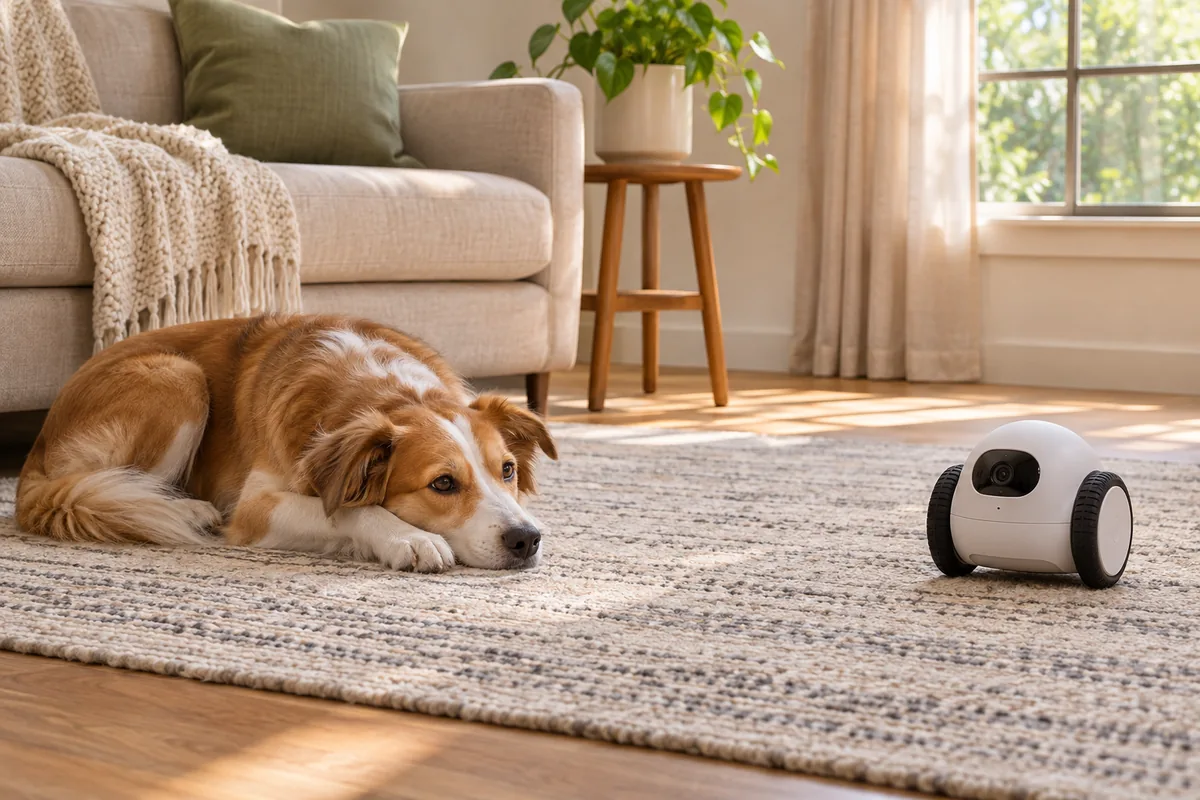
The ROLA Mini is a pet camera with app-driven wheels. Instead of viewing your dog only from a shelf or countertop, you can use the app to move the camera around an accessible area of your home. That mobility is its main reason to consider it over a fixed camera.
- 2K camera with 2304 × 1296 resolution and a 137-degree view.
- Infrared night vision and two-way audio.
- App-driven wheels, with no automatic patrol.
- No automatic obstacle avoidance or fall prevention, according to Enabot’s FAQ.
- Human and pet motion recognition.
- An included 32GB microSD card, with support for cards up to 256GB.
- Optional Cloud+ subscription; local SD storage works without it.
- Support for 2.4GHz and 5GHz Wi-Fi.
- A 5000mAh battery that Enabot rates for up to 25 days of normal use; actual use may be shorter.
- A magnetic charging cable, with no automatic docking.
- No treat dispenser.
The camera can struggle on thick carpet. Its usefulness therefore depends on your floors, the route you want it to travel and whether your dog is comfortable with it.
Enabot EBO ROLA Mini Pet Camera Robot
A wheeled 2K camera for checking beyond one fixed angle — useful for observation only, not for treating separation anxiety.
Check price on AmazonWe earn a small commission if you buy through this link, at no extra cost to you. Disclosure
How can a moving camera help you watch alone-time behavior?
A moving camera may help when your dog leaves the original view. If they move from their bed to another accessible part of the room, you may be able to reposition the camera rather than guessing what happened.
The 137-degree view still shows only the scene in front of the lens. Mobility does not mean that you can see every room simultaneously, and the ROLA Mini does not automatically patrol the home for you.
For separation-anxiety monitoring, useful observations include whether your dog rests, repeatedly walks toward an exit, vocalizes or struggles to settle. Record when those behaviors begin and what happened immediately beforehand. A short clip of resting does not establish that the entire absence was comfortable. Our guide on how to record your dog when you leave covers placement, clip length and what to note for your vet.
There is also a trade-off: moving the robot may change the behavior you are trying to observe. Begin with it stationary, and only reposition it if your dog has already shown that they tolerate movement.
Can the ROLA Mini treat separation anxiety?
No. Watching your dog, speaking through a camera or moving a device around the room does not teach comfortable separation on its own. The ROLA Mini cannot replace a gradual training plan, suitable company or veterinary help.
A camera is most useful when the information changes your decisions. If a short practice absence shows distress, return calmly and make the next session easier. Do not continue a difficult absence simply because you can watch it. For the broader protocol, see our separation anxiety guide.
For necessary outings longer than your dog currently handles, arrange familiar care. Someone who can physically respond matters more than the ability to open a live view. The robot cannot provide that response.
How should you introduce movement and two-way audio?
Introduce the camera while you are home and your dog is comfortable. Start with the device stationary, without using the speaker. Give your dog space to choose whether to approach or ignore it.
Next, try a small movement at a distance. Watch for a change from relaxed behavior to following, barking, backing away, freezing or trying to bite the device. Do not drive it toward your dog to force an introduction.
Test the speaker separately, briefly and at a modest volume. Hearing your voice without seeing you may interest some dogs and confuse or upset others. Two-way audio is an option, not something you need to use during every check-in.
If either feature causes distress, stop using it. There is little value in adding a new trigger to an alone-time session. A stationary setup with the speaker unused may be more suitable, or you may prefer a fixed camera.
Where should you place and drive it?
Keep the robot out of chew reach. If your dog tries to mouth, grab or chase it, do not leave it accessible during an absence. A floor-level camera may be an impractical choice for that dog, even if remote driving appeals to you.
Check every intended route while you are home. Thick carpet can interfere with movement, and the absence of automatic obstacle avoidance means you should not expect the robot to steer around household objects independently.
Enabot’s FAQ also states that it lacks automatic fall prevention. Block access to stairs and other drops rather than relying on the camera to detect them. Keep charging cables inaccessible to your dog.
Test the Wi-Fi connection where you intend to use it. Support for both 2.4GHz and 5GHz gives connection options, but it does not establish that every part of your home will have a dependable signal.
What can motion recognition and recordings tell you?
Human and pet motion recognition can help identify activity to review. It should not be treated as a diagnosis of anxiety, a complete account of the absence or confirmation that your dog is comfortable whenever no activity is highlighted.
Look at the behavior and its context. Note how long your dog has been alone, whether the robot moved and whether you used the speaker. That helps distinguish observations made during quiet monitoring from reactions to the camera itself.
For a useful comparison, keep the setup similar across short practice sessions. Starting from the same position with movement and audio unused gives you a clearer basis for reviewing changes. Share relevant recordings with your vet or behavior professional rather than relying only on your memory.
Do you need a Cloud+ subscription?
No subscription is required for local SD storage. The ROLA Mini includes a 32GB microSD card and supports expansion up to 256GB. Cloud+ is optional.
That distinction matters if you want local recordings without adding a subscription. It does not mean every cloud feature is available without a plan, so check the current description of any feature you expect to use before buying.
Also check that recordings are being saved and can be reviewed before relying on them for a training session. Having a card installed is not a substitute for confirming your actual setup.
How realistic is the battery claim?
Enabot rates the 5000mAh battery for up to 25 days of normal use. Treat that as the manufacturer’s stated maximum under its usage assumptions, not a promise for your household. Your actual use may be shorter.
The practical limitation is charging: the ROLA Mini uses a magnetic charging cable and does not return to an automatic dock. Someone must reconnect it.
Build a battery check into your monitoring routine. Do not plan an absence around the assumption that a camera charged days earlier must still be available. A charged camera remains an observation tool, not emergency care.
Who is the ROLA Mini best suited to?
It is most worth considering when mobility solves a specific viewing problem and your dog remains comfortable around the device.
- Your dog sometimes moves beyond a fixed camera’s view.
- You have an accessible route without thick carpet or unprotected drops.
- Your dog does not try to chew or chase the robot.
- You want local SD recording without a required Cloud+ subscription.
- You are comfortable driving it manually and reconnecting it for charging.
Even in that situation, you may use it stationary for most separation practice. The option to move should serve a clear purpose rather than becoming an activity that interrupts your dog’s rest.
Who should choose a fixed camera or a treat camera instead?
A quiet fixed camera is the more straightforward choice if your dog reacts to movement, investigates devices with their mouth or rests in one predictable area. A consistent view can also make recordings easier to compare without introducing the robot as another variable. Compare fixed and treat-tossing options in our best pet cameras for separation anxiety guide.
Comparing the ROLA Mini with Furbo, Petcube Cam 360 and other mini or AI cameras? See our best mini and AI pet cameras for separation anxiety roundup.
Weighing a robot against a shelf camera? See our robot vs fixed pet camera for separation anxiety comparison.
Once the camera is set up quietly, our guide on tracking progress with pet camera footage explains what to log and when to slow down.
A treat camera such as Furbo 360 belongs on your shortlist if dispensing treats is a feature you specifically want. The ROLA Mini has no treat dispenser. This is a difference in purpose, not evidence that either type is better at treating separation anxiety.
Many anxious dogs will not eat when alone, and accepting food does not prove that an absence is comfortable. Treat delivery is enrichment or interaction, not a treatment for panic.
Choose around your dog’s behavior and the information you need, rather than assuming more interaction is automatically helpful.
What are its most important limits?
The main limits are practical: manual driving, possible difficulty on thick carpet, no automatic patrol, no automatic obstacle avoidance, no fall prevention and no auto-dock. None should be overlooked because the camera can move.
The behavioral limit is equally important. A moving robot or remote voice can become a distraction or source of distress. It may also change what you see, making it harder to observe how your dog behaves without intervention.
Finally, remote viewing cannot replace a person. A clear image of panic is useful evidence, but someone still needs to help the dog and adjust the care plan.
When should you call a vet or certified trainer?
Contact your vet promptly for panic, self-injury, refusal of food, signs of illness or a sudden behavior change. Do not assume a new problem is simply separation anxiety.
A certified trainer who uses reward-based methods and has experience with separation anxiety can help you plan gradual practice. Veterinary care remains important when distress is severe or health concerns are present.
Use recordings to show what happens after departure, including any reaction to movement or speaker audio. Never punish vocalizing, damage or accidents, and do not leave your dog to panic while you watch remotely.
Is a moving pet camera worth it?
The ROLA Mini is worth considering when manual movement provides a useful view and your dog comfortably ignores it. Its local storage and camera features support observation, but its navigation and charging limits require planning.
If movement adds worry or you mainly need a stable view of the resting area, choose a quiet fixed camera. The best monitoring setup is the one that gives useful information without making your dog’s alone time harder.
Product references: Enabot’s ROLA Mini product page and ROLA Mini support FAQ.