On this page
- What does each camera type actually do?
- When does a moving robot camera help?
- How do the Enabot robot examples differ?
- When is a quiet fixed or pan-and-tilt camera better?
- What do Furbo 360 and Petcube Cam 360 offer?
- Can treat tossing or speaker audio make observation harder?
- How should you compare subscriptions and storage?
- How do the four examples compare?
- How should you set up either type safely?
- What should you look for in the footage?
- When should you call a vet or certified trainer?
- Which type should you choose?
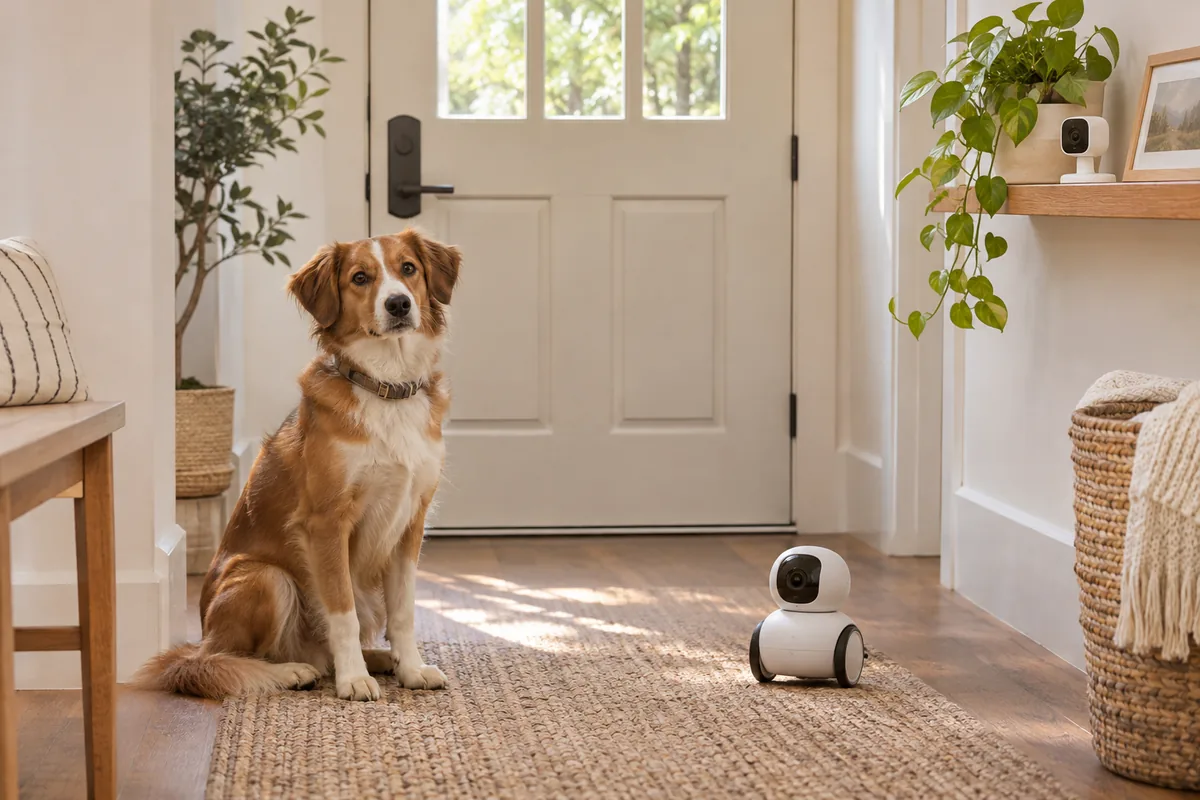
Choosing between a robot and a fixed camera is about how you observe alone-time behavior, not about which device treats anxiety. Start with the setup that gives a clear view without upsetting your dog.
We are dog owners, not vets or trainers, and we have not tested these products ourselves. This comparison focuses on choosing a useful observation tool rather than expecting a camera to make your dog comfortable alone. For broader buying context, see our best pet cameras guide and the mini and AI pet cameras roundup.
Petcube Cam 360
Honest starting point for most homes: quiet pan-and-tilt viewing without treats, so you can watch separation behavior from one consistent place.
Check price on AmazonWe earn a small commission if you buy through this link, at no extra cost to you. Disclosure
What does each camera type actually do?
A fixed camera watches from one position. A pan-and-tilt or rotating camera changes its viewing direction while its base stays in place. Both can provide a consistent starting view of your dog’s bed, resting area or usual route toward the door.
A robot camera moves across the floor. That can let you change position rather than simply turn the lens, but access depends on your home’s layout and the device’s capabilities.
These differences matter more than whether a camera looks entertaining. For alone-time monitoring, the goal is to see what your dog does without introducing something that changes their behavior.
When does a moving robot camera help?
Mobility is most useful when you have a specific blind spot. Your dog might leave their bed, walk into an adjoining room or settle somewhere a camera on a shelf cannot see.
A robot may let you check an accessible doorway or view the outside of a crate area from another angle. It cannot show every room simultaneously, pass through closed doors or guarantee an unobstructed view.
Do not drive toward your dog merely because they leave the frame. If movement causes them to follow, bark or retreat, you are now observing a reaction to the robot rather than ordinary alone-time behavior.
Start with the camera stationary. Reposition only after home practice shows that your dog remains comfortable with it.
How do the Enabot robot examples differ?
The Enabot ROLA Mini is a moving 2K robot camera with two-way audio and no treat dispenser. It has no auto-dock, no auto-patrol and no automatic obstacle avoidance. Cloud+ is optional. Our dedicated ROLA Mini separation anxiety guide covers introduction, charging and limits in more detail.
Those limits make it a deliberate, owner-operated choice. Do not expect it to patrol independently, steer around objects automatically or reconnect itself for charging. Its appeal is changing the viewing position when you need to.
The Enabot EBO Air 2 is also a moving 2K robot, but it includes auto-recharge and laser play. The laser feature is more cat-oriented and is not a reason to choose it for observing an anxious dog.
Auto-recharge offers a different charging arrangement, not a guarantee of uninterrupted observation. Review the ROLA Mini FAQ and EBO Air 2 documentation for the exact models.
When is a quiet fixed or pan-and-tilt camera better?
Choose a stationary setup when your dog notices movement or device sounds, tries to investigate equipment with their mouth, or usually rests in one predictable area. A camera placed out of reach can remove the need for a robot on the floor.
A consistent view also makes sessions easier to compare. You can review whether your dog rests after departure, repeatedly approaches the exit or becomes unsettled without changing the camera’s position each time. Our guide on how to record your dog when you leave covers placement and what to note.
For crate training, aim for a clear view without moving a device around the enclosure. A camera does not make confinement appropriate for a dog who panics there. If distress develops, change the arrangement rather than continuing because you can watch it.
If reliable 24/7 recording is your priority, look for a fixed system that explicitly supports it. Neither “fixed” nor “pan-and-tilt” automatically means continuous recording, and the supplied facts do not establish that capability for every example here.
What do Furbo 360 and Petcube Cam 360 offer?
Furbo 360 rotates and includes treat tossing and bark alerts. Video history and smart alerts need the Furbo Nanny plan, and it uses 2.4GHz Wi-Fi.
It is a candidate when you specifically want optional treat delivery alongside a rotating view. Check the current plan terms before assuming the camera purchase includes the recording features you need.
Petcube Cam 360 provides pan-and-tilt 1080p viewing without treats. History needs the Petcube Care plan. It is the more direct comparison if you want to observe without adding a dispenser.
Both remain in one place rather than traveling between rooms. Position them around the behavior you need to see. Consult the official Furbo site and Petcube Cam 360 listing for current terms.
Can treat tossing or speaker audio make observation harder?
They can. Treat delivery may excite some dogs, while hearing your voice without seeing you may confuse or upset others. Neither response should be assumed before you test the feature at home.
Treats are enrichment, not treatment for panic. Some anxious dogs will not eat alone, and accepting food does not establish that the whole absence is comfortable.
For a clearer observation session, begin without treats, speech or camera movement. Add only functions your dog tolerates and that serve a purpose.
If an interaction increases agitation, stop it. Repeatedly speaking through the camera is not a substitute for returning or arranging someone to help.
How should you compare subscriptions and storage?
Decide whether you need live viewing, saved events or a continuous timeline. These are different functions, and a camera’s name does not tell you which are included.
For the examples here, Furbo history and smart alerts require Nanny, while Petcube Cam 360 history requires Care. ROLA Mini has optional Cloud+, but optional cloud service does not establish every detail of recording and playback.
Before buying, check what works without a plan, what changes after a trial and how you retrieve footage. Confirm the exact storage arrangement for EBO Air 2 rather than assuming it matches another Enabot model.
No subscription can make an absence appropriate if your dog cannot comfortably manage it.
How do the four examples compare?
| Product | Viewing type | Interaction | Important limit | Plan consideration |
|---|---|---|---|---|
| Enabot ROLA Mini | Moving 2K robot | Two-way audio; no treats | No auto-dock, auto-patrol or obstacle avoidance | Cloud+ optional |
| Enabot EBO Air 2 | Moving 2K robot | Laser play, more cat-oriented | Movement still needs a home trial; includes auto-recharge | Check current storage terms |
| Furbo 360 | Rotating camera | Treat tossing; bark alerts | 2.4GHz Wi-Fi | Nanny for history and smart alerts |
| Petcube Cam 360 | Pan-and-tilt 1080p | No treats | Stays in one location | Care for history |
Swipe the table sideways to see every column.
This table compares the supplied features, not measured reliability, alert accuracy or recording performance.
Picks on this page are a research-based assessment of features and intended use — not hands-on testing. We earn a small commission if you buy through the Amazon links on this page, at no extra cost to you. Affiliate disclosure
How should you set up either type safely?
Introduce the equipment while you are home. Begin with a stationary, quiet setup and test movement, sounds and treats separately.
- Place cameras and cords out of chew reach.
- Keep small robots inaccessible if your dog tries to mouth, chase or grab them.
- Test robot routes and block access to stairs or other drops.
- Keep equipment outside a crate and beyond your dog’s reach.
- Check the view, connection and recording access before practice.
- Confirm Wi-Fi compatibility; Furbo 360 requires 2.4GHz.
- Arrange a person who can respond during necessary absences.
Start with short absences your dog handles comfortably, potentially just seconds. Increase gradually while observing the actual behavior. If distress appears, return calmly and make the next session easier rather than waiting for silence.
A brief relaxed clip is not proof that a longer outing will go well. Arrange familiar company for time your dog cannot yet manage.
What should you look for in the footage?
Note departure time and what happens next: resting, repeated movement toward an exit, vocalizing or difficulty settling. Include any camera movement or audio use in your notes.
Review more than isolated moments. A dog lying down briefly may behave differently before or afterward, and barking alone does not identify the cause of distress.
Use comparable setups across practice sessions. The practical question is whether the footage helps you choose an easier next step or improve care, not whether the camera generates interesting activity.
When should you call a vet or certified trainer?
Contact your vet promptly for panic, self-injury, refusal of food, signs of illness or a sudden behavior change. Do not assume every problem during an absence is separation anxiety.
A certified trainer who uses reward-based methods and has separation-anxiety experience can help structure gradual practice. Share recordings, including reactions to the device itself.
Never punish vocalizing, damage or accidents, and do not leave a panicking dog confined while watching remotely. Monitoring only helps when it leads to appropriate support. For the broader protocol, see our separation anxiety guide.
Which type should you choose?
Start with a quiet fixed or pan-and-tilt camera when one position covers the important area. Consider a robot when mobility solves a real blind spot and your dog comfortably ignores it.
Choose recording and subscription features deliberately. The most useful setup gives you a clear picture without making alone time harder.